Uncategorized

Affordable Social Media Services
Uncategorized

Affordable Social Media Services: The Smart Way to Grow Your Business on a Budget

In today’s digital world, growing a business without a strong social media presence is almost impossible. Whether you are a startup, small business owner, or freelancer, social platforms like Instagram, Facebook, LinkedIn, and YouTube help you reach your ideal customers faster. But the biggest challenge most businesses face is budget. That’s exactly where affordable social media services become a game-changer. Many people think that social media marketing is expensive or only for big companies. The truth is the opposite. With the right strategy and a smart service provider, even small businesses can achieve great results without spending a fortune. In this blog, we will explore what affordable social media services include, why they are valuable, and how you can choose the best option for your business. What Are Affordable Social Media Services? Affordable social media services are cost-effective digital marketing solutions created especially for small businesses, startups, and entrepreneurs. These services help you plan, design, schedule, and manage content without burning your budget. Typical affordable packages include: Social media account setup Content creation (posts, reels, short videos) Graphic designing Hashtag research Social media strategy Scheduling and posting Monthly performance reports Basic ad management (optional) These services focus on high-impact actions instead of wasting money on unnecessary things. Why Affordable Social Media Services Matter for Small Businesses 1. Cost-Effective Growth Traditional marketing like newspapers, billboards, or TV ads is extremely expensive. Social media, on the other hand, offers much higher reach at a very small cost. Affordable packages are designed to give you maximum results with minimum investment. 2. Builds Brand Credibility When your customers search for you online, an active social media presence instantly builds trust. Regular posting, attractive graphics, and consistent branding show your professionalism — even if you are just starting out. 3. Connect Directly With Customers Social media allows you to talk directly with your audience. Whether it’s through comments, DMs, polls, or stories, you develop a deeper relationship with your customers — something no traditional marketing method offers. 4. Saves Time and Effort If you’re running a business, handling social media daily can be overwhelming. Affordable services let professionals manage your accounts while you focus on your business operations. Who Should Use Affordable Social Media Services? These services are best for: Startups Home-based businesses Small shops and local businesses Coaches, trainers, and freelancers E-commerce stores Real estate agents Salons and boutiques Cafes and restaurants Basically, anyone who wants to grow online but doesn’t have the time or big budget. How to Choose the Best Affordable Social Media Service Provider Before choosing any service, make sure to check: ✔ Portfolio & Past Work Ask for sample posts, reels, and previous client results. This gives you a clear idea of their quality. ✔ Pricing Transparency Affordable does NOT mean cheap. Look for clear, simple pricing without hidden charges. ✔ Defined Deliverables Your package should clearly mention what you will get: Number of posts Type of content Posting frequency Reports Revisions ✔ Strategy Over Random Posting Posting without strategy never works. Make sure the service provider gives a content plan based on your niche and goals. Benefits You Get With the Right Social Media Partner Increased brand awareness More followers and engagement Higher website traffic Professional branding Better customer trust More inquiries and sales Affordable services don’t mean low quality. They simply offer smart, efficient strategies that deliver real results. Final Thoughts If you want to grow your business online without spending a huge amount, then affordable social media services are the perfect solution. With the right strategy, creative content, and consistent efforts, even a small budget can bring big results. Whether you’re just starting or trying to expand your digital reach, investing in social media is not just an option — it’s essential for long-term success.
Uncategorized

On-Page SEO: The Complete Guide for Beginners

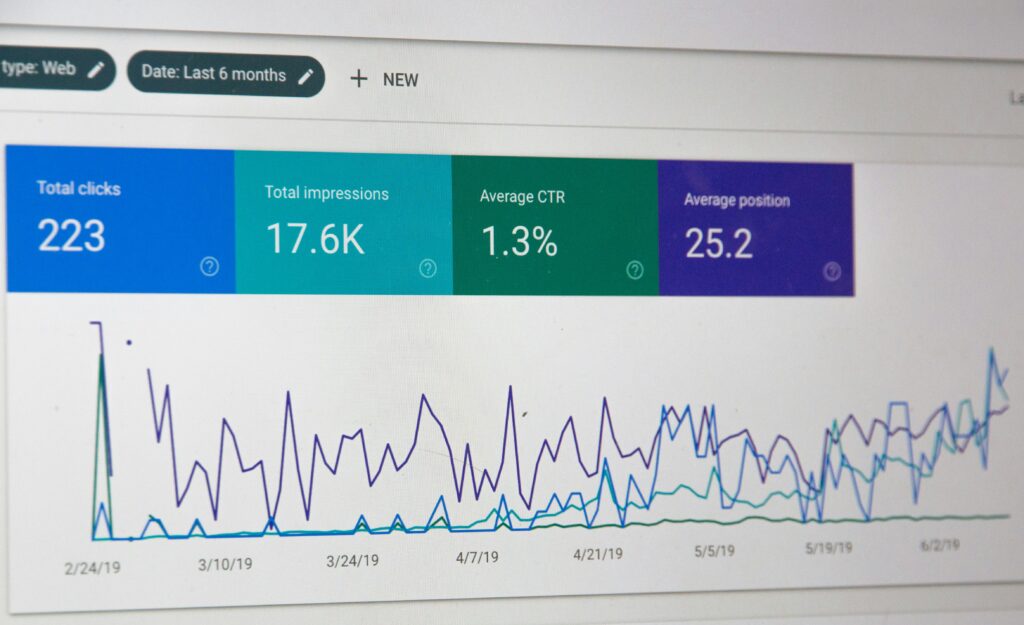
On-Page SEO is one of the most important foundations of search engine optimization. If you want your website or blog to rank on Google, attract organic traffic, and convert visitors into leads or customers, mastering on-page SEO is essential. This beginner-friendly guide will help you understand what on-page SEO is, why it matters, and how to optimize each element step by step. What Is On-Page SEO? On-Page SEO refers to the practice of optimizing individual web pages to improve their search engine rankings and user experience. It focuses on elements that are directly under your control, such as content, HTML source code, keywords, and page structure. Unlike off-page SEO (backlinks and external signals), on-page SEO ensures that search engines clearly understand: What your page is about Which keywords it should rank for How valuable it is for users Why On-Page SEO Is Important On-page SEO helps search engines and users at the same time. When done correctly, it: Improves website visibility in search results Increases organic traffic Enhances user experience Improves click-through rate (CTR) Boosts conversion rates Builds long-term search authority Without proper on-page SEO, even high-quality content may never reach its target audience. Key Elements of On-Page SEO (Step-by-Step) 1. Keyword Research & Optimization Keyword research is the backbone of on-page SEO. Choose keywords that match user intent and have a good balance of search volume and competition. Best practices: Use one primary keyword per page Add secondary and related keywords naturally Place keywords in: Title tag URL Headings First 100 words Image alt text Meta description Avoid keyword stuffing. Always prioritize readability. 2. SEO-Friendly Title Tag The title tag is one of the strongest on-page ranking factors. Tips for optimizing title tags: Keep it under 60 characters Include the primary keyword Make it engaging and click-worthy Avoid duplication across pages Example:On-Page SEO: The Complete Guide for Beginners 3. Meta Description Optimization The meta description does not directly affect rankings, but it strongly impacts CTR. Best practices: Keep it between 150–160 characters Include the main keyword Clearly explain what the page offers Use action-oriented language 4. URL Structure (SEO-Friendly URLs) Clean URLs help both users and search engines. Good URL example:yourwebsite.com/on-page-seo-guide Avoid: Long URLs Random numbers Special characters 5. Heading Tags (H1–H6) Headings improve readability and SEO structure. Best practices: Use only one H1 per page Use H2 and H3 for subtopics Include keywords naturally Keep headings clear and descriptive Search engines use headings to understand content hierarchy. 6. High-Quality Content Optimization Content is the heart of on-page SEO. Optimized content should: Solve user problems Match search intent Be original and in-depth Use simple and clear language Include bullet points and short paragraphs Long-form, valuable content tends to rank better than thin content. 7. Internal Linking Internal links connect one page of your website to another. Benefits: Improves crawlability Distributes page authority Keeps users engaged longer Helps search engines understand content relationships Use descriptive anchor text instead of “click here.” 8. Image Optimization Images improve user experience but must be optimized. Image SEO tips: Compress images for faster loading Use descriptive file names Add alt text with relevant keywords Use responsive images Optimized images can also rank in Google Image Search. 9. Page Speed Optimization Page speed is a confirmed ranking factor. Improve page speed by: Compressing images Using browser caching Minimizing CSS and JavaScript Using a fast hosting provider A faster website improves both SEO and user satisfaction. 10. Mobile-Friendliness Google follows mobile-first indexing, meaning it evaluates the mobile version of your site first. Ensure: Responsive design Readable text on mobile Easy navigation Fast mobile load time 11. User Experience (UX) Signals On-page SEO is not just technical — it’s also behavioral. Google analyzes: Bounce rate Time on page Scroll depth Engagement Better UX leads to better rankings. Common On-Page SEO Mistakes to Avoid Keyword stuffing Duplicate content Missing title tags or meta descriptions Slow-loading pages Poor content structure Ignoring mobile optimization Avoiding these mistakes can significantly improve rankings. On-Page SEO Checklist for Beginners Primary keyword selected SEO-friendly title & URL Optimized meta description Proper heading structure High-quality content Internal links added Images optimized Fast page speed Mobile-friendly design Conclusion On-page SEO is the foundation of successful SEO strategy. Without it, even the best backlinks or paid campaigns won’t deliver sustainable results. By optimizing content, structure, keywords, and user experience, beginners can create search-engine-friendly pages that rank consistently and drive long-term organic growth. Master on-page SEO first — everything else in digital marketing becomes easier after that.

Scroll to Top